
Protecting Sensitive Data Made Easier: Introducing ‘Concealed’ Text Field Type in Business Central Wave 2 2025

Data privacy and security have become paramount concerns for businesses across all industries. With increasing regulatory requirements and growing awareness of data protection, organizations need robust yet user-friendly solutions to safeguard sensitive information. Microsoft’s Dynamics 365 Business Central Wave 2 2025 introduces a game-changing feature that addresses this challenge: the new ‘Concealed’ text field type with the innovative Mask Type property.

The Challenge: Balancing Security and Usability

Traditionally, we faced a dilemma when handling sensitive data fields. The existing ExtendedDataType = Masked property offered security by displaying field values as dots, but this approach had limitations:

  • Always hidden: Once masked, the data remained permanently concealed, even from authorized users
  • Poor user experience: Users couldn’t verify entered data, leading to potential input errors
  • Limited flexibility: No option to reveal data when legitimate access was needed

These limitations created friction between security requirements and practical usability, forcing developers to choose between protecting sensitive data and maintaining a smooth user experience.

Business Central Wave 2 2025 introduces the new MaskType enum property, revolutionizing how we handle sensitive data display. This property offers two distinct values:

MaskType Values Explained

None (Default)

  • Standard behavior where field values are fully visible in the UI
  • No masking or concealment applied
  • Suitable for non-sensitive data fields

Concealed

  • Field values are hidden by default, appearing as masked dots
  • Users can reveal the actual value through an explicit action
  • An interactive “eye” button appears next to the field for toggling visibility
  • Perfect balance between security and accessibility

Implementing the concealed field type is straightforward. Here’s how to configure it in your AL code:

field(50100; "Sensitive Data"; Text[100])
{
    Caption = 'Sensitive Information';
    MaskType = Concealed;
}

When rendered in the UI, this field will display:

  • Masked dots by default (●●●●●●●●)
  • An eye icon button for revealing/concealing the value
  • Smooth toggle animation between hidden and visible states

Supported Field Types

The MaskType = Concealed property works with:

  • Text fields: For sensitive textual information
  • Code fields: For confidential codes and identifiers
  • Decimal fields: For sensitive numeric values with decimals
  • Integer fields: For confidential whole numbers

Supported Page Types

The concealed functionality is available on:

  • Document pages: Sales orders, purchase orders, etc.
  • Card pages: Customer cards, vendor cards, item cards
  • Not supported: List page repeaters and grid controls

The introduction of the ‘Concealed’ text field type with the MaskType property in Business Central Wave 2 2025 represents a significant advancement in data protection capabilities. This feature successfully bridges the gap between security requirements and user experience, providing organizations with a flexible, user-friendly approach to protecting sensitive information.

Stay tuned for more.
Vibe Coding in AL Development for Business Central

As AL developers working with Microsoft Dynamics 365 Business Central, we often find ourselves caught between strict business requirements and the desire to write code that feels good, but with the latest Vibe Coding experience, we can see how developers interact with the platform. Instead of writing everything manually, Vibe Coding leverages AI-driven assistance, contextual suggestions, and natural language inputs to speed up solution building.

Vibe Coding isn’t just about writing code—it’s about creating a harmonious development experience that reduces cognitive load, enhances creativity, and produces more maintainable, scalable AL solutions. It combines best practices from agile development, clean code principles, and user experience design to create a holistic approach to Business Central customization.

What is Vibe Coding?

Vibe Coding is Microsoft’s new AI-assisted development experience embedded in Business Central AL development. Think of it as a “copilot for AL” — it understands your context, suggests code snippets, and helps you scaffold solutions quickly.

With Vibe Coding, you can:

  • Generate AL objects (tables, pages, code units) using natural language prompts.
  • Get inline suggestions for methods, triggers, and patterns.
  • Reduce boilerplate coding and focus on solution logic.
  • Learn AL development faster if you’re new to the ecosystem.

Getting Started

To enable Vibe Coding in AL development:

  1. Update your AL extension in Visual Studio Code to the latest version (available in VS Code Marketplace).
  2. Ensure your Business Central environment is updated to fully support Vibe Coding.
  3. Ensure Copilot features are enabled.
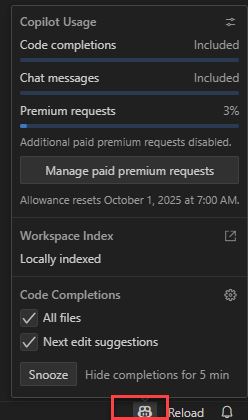
  4. Open your AL project and start coding — the AI suggestions will appear as ghost text or through the command palette.
Article content

Example: Creating a Table with Vibe Coding

Traditionally, you create a table object like this:

table 50100 "Customer Ledger Extension"
{
   
    fields
    {
        field(1; "Customer No."; Code[20])
        {
            DataClassification = CustomerContent;
        }

        field(2; "Ledger Balance"; Decimal)
        {
            DataClassification = CustomerContent;
        }
    }
}

With Vibe Coding, you could simply type in natural language:

“Create a table for Customer Ledger with Customer No. and Ledger Balance fields.”

And Vibe Coding will generate the AL code for you, ready to refine.

Example: Extending a Page

Say you want to extend the Customer Card page to show the new field. Instead of looking up the object ID and syntax, you could type:

“Extend Customer Card to add Ledger Balance field from Customer Ledger Extension table.”

The tool generates the boilerplate page extension code, leaving you to adjust anything you requires.

The Future of AL Development

Vibe Coding works brilliantly for proof-of-concepts and small team innovations. The sweet spot? 👉 Start with Vibe for rapid progress, then formalize as the codebase matures.

For AppSource apps and enterprise BC implementations, structured development still wins. But for exploring new features or quick client customizations? Vibe Coding can be your secret weapon.

It’s not here to replace developers — it’s here to supercharge productivity and free us to focus on innovation. 🚀

Stay tuned for more as it is still in learning phase.