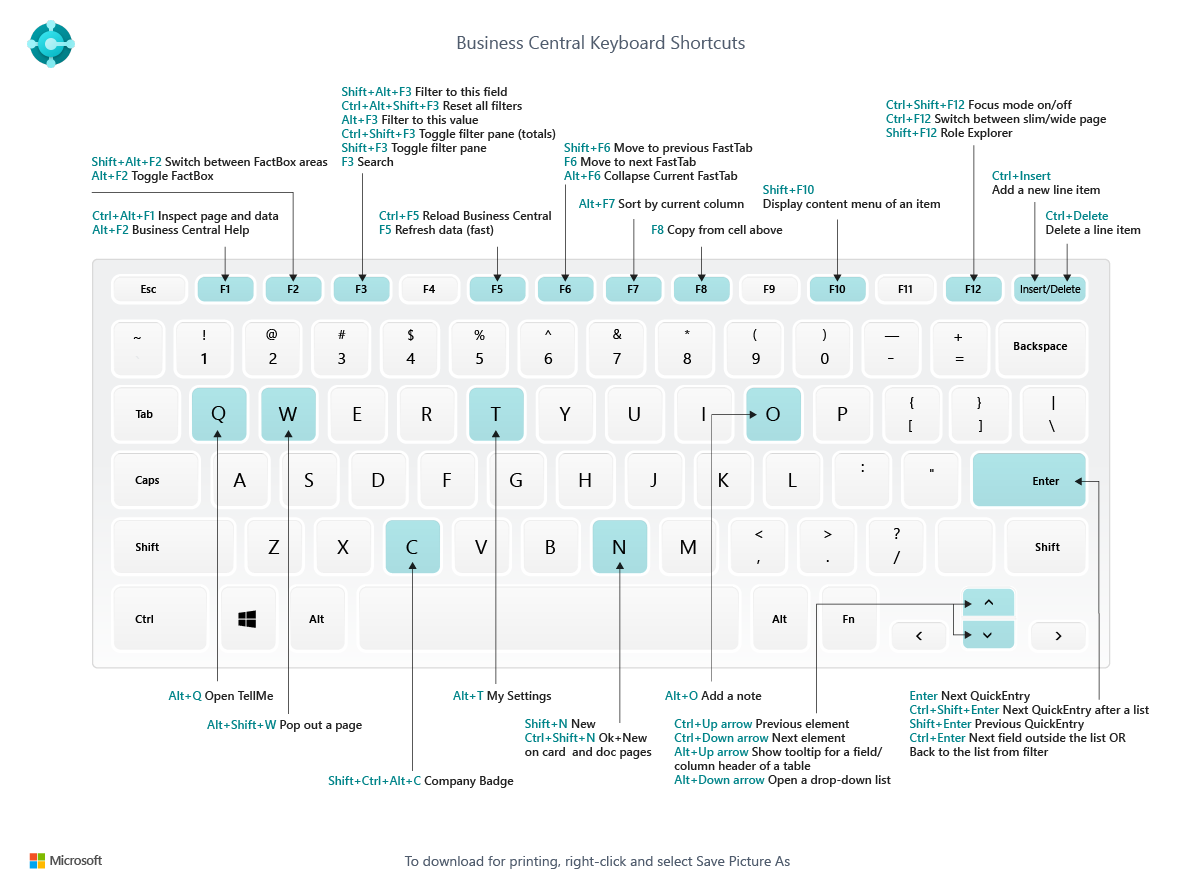
Following are few keyboard shortcuts we can use in business central while transacting.
| General |
Alt+Q |
Open Tell me |
| Alt+Up |
Open tooltip or validation error |
| Tab |
Move focus to the next control |
| Shift+Tab |
Move focus to the previous control |
| Alt+Down Arrow |
Open a drop-down or look up |
| Alt+Right Arrow |
See the transactions for calculated value |
| Esc |
Close the current page or drop-down. |
| Navigate and select rows |
Home/End |
Go to first/last field |
| Ctrl+Home/End |
Go to first/last row |
| Ctrl+Up/Down |
Navigate without losing selection |
| Ctrl+A |
Select all |
| Ctrl+Space |
Toggle row selection |
| Ctrl/Shift+Click |
Add the row/rows to the selection |
| Ctrl+Shift+Home/End |
Extend selection to first/last row |
| Shift+Up/Down |
Add row above/below to selection |
| Shift+Page Up/Down |
Add all visible rows above/below to selection |
| Ctrl+Enter |
Focus out of the list |
| Copy and paste |
Ctrl+C |
Copy rows |
| Ctrl+V |
Paste rows |
| F8 |
Copy field above into current row |
| Search, filter, and sort |
F3 |
Toggle search |
| Shift+F3 |
Toggle filter pane; focus on field filters |
| Ctrl+Shift+F3 |
Toggle filter pane; focus on totals filters |
| Alt+F3 |
Filter on selected cell value |
| Shift+Alt+F3 |
Add filter on selected field |
| Ctrl+Alt+Shift+F3 |
Reset filters |
| Report preview |
Up/Down |
Scroll up and down the page |
| Right/Left |
Scroll to the right/left |
| Ctrl+Home/End |
Go to the first/last page |
| Page Up/Down |
Go to the previous/next page |
Many more to come…
Hope this will help everybody
Source : Microsoft docs.

 Ammolh Saallvi Blog