
With the different code actions it is very easy to convert your long code into procedures. Just a small tip to convert to your long code into smaller procedures.
To enable to code actions

Hope this will help you.
Stay tuned for more.
With the different code actions it is very easy to convert your long code into procedures. Just a small tip to convert to your long code into smaller procedures.
To enable to code actions
Hope this will help you.
Stay tuned for more.
With the release of Business Central Wave 1 2020 new feature was introduced called ‘Interface’. It is basically syntactical contract that can be implemented by a non-abstract method. This allows for writing code that reduces the dependency on implementation details, makes it easier to reuse code.
Today we will see how to write an interface and implement in Business central.
For defining interface we no need to have object id.

If you can see in above interface we just define method but not programmed any business logic.
Now Lets see how to implement interface.
Added new code unit which implements the defined interface.

For checking the result of interface created following page with one function.


Above function to initialize the interface.
Lets check the result of interface.

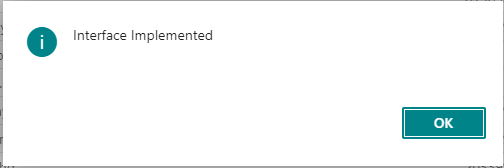
Hope this will help you to understand interface and implementation.
To understand more on differentiate between events and interface read Interface Vs Events..
Stay tuned for more…
Cumulative Update includes all application and platform hotfixes and regulatory features that have been released for Microsoft Dynamics Business Central
Business Central Wave 1 2020 :- BC 16.1
Warning
Before you install a cumulative update in a production environment, take the following precautions:
Stay tuned for more updates…
With the release of Business Central 2020 Wave 1 lot of new features has been added to make product more prominent.
Though this concept of ENUM was introduced earlier but from new version onwards most of the option fields are available as extensible enum such as follows

If define enum is extensible then we can add more option values in that field.

How to add the new option value in existing enum field.
First create extension for enum as below

To check the value just added one action button as below

To check the output publish the app and check

Select the document type and check the result as follows

Hope this help you…
Stay tuned for more..
Cumulative Update includes all application and platform hotfixes and regulatory features that have been released for Microsoft Dynamics Business Central
Business Central 2019 Spring Update CU 11 :- BC 14
Business Central 2019 Fall Release Wave 2 :- BC2019Wave2
Warning
Before you install a cumulative update in a production environment, take the following precautions:
Stay tuned for more updates…
With the release of Business Central 2020 Wave 1 and AL extension lot of new features has been added to make AL development more productive.
A core part of extension-based development is the use of events and event subscribers. Use the new Shift+Alt+E shortcut in the AL code editor to invoke a list of all events.
Hope this will help you
Stay tuned for more.
With the release of Business Central 2020 Wave 1 and AL extension new codecops added for more information and making your app more prominent
AA0215 – Checking file naming
This checks file name as per new guidelines and shows warning as below

Following are the new guidelines for this warning
| Object Name | File Name |
| Codeunit 50000 “Post Bank Details” | PostBankDetails.Codeunit.al |
| Page 50000 “Customer Card Ext” | CustomerCard.PageExt.al |
To Get this done automatically use Waldo’ CRS extension
AA0218,AA0219,AA0218 – Missing and Wrong ToolTips
This will show warning for missing Tooltips as below

AA0470- Comments in Labels
Placeholders should have a comment explaining their content.Provide an explanation that describes the content of each of the placeholders.

To fix this Adding the comment

There are more code analyzer added and you can find this from following link
https://docs.microsoft.com/en-us/dynamics365/business-central/dev-itpro/developer/analyzers/codecop
Stay tuned for more ….
MS released the major version of business central Wave 1 2020 on 1st April 2020
You can download the on-premise from following URL
Few Links to follow
What’s New and Planned for business Central
Features Not Implemented On-Premise
Stay Tuned for more updates.
Cumulative Update includes all application and platform hotfixes and regulatory features that have been released for Microsoft Dynamics Business Central Wave 2 2019 Release
Download update from below
Update 15.3 for Microsoft Dynamics 365 Business Central 2019 Release Wave 2
Warning
Before you install a cumulative update in a production environment, take the following precautions:
Stay tuned for more updates…
Below Videos will explain you how to setup ALOps for VSCode
Hope this will help you guys..
Stay tuned for more..
 Ammolh Saallvi Blog