All about Microsoft Dynamics NAV and Business Central
Author: Ammolh Saallvi
I'm a Dynamics NAV/Navision developer and helps partners and end-users with their NAV implementations. I do everything from third-party management advisory, training to new NAV teams, project management, training, setup and development.
Do you want to hire me to help getting your project a success? Then contact me via dropping one email from linkedin
Expertise in end-to-end development of software products from requirement analysis to System Study, Documentation and Testing. Demonstrated abilities in analyzing information system needs, evaluating end-user requirements, custom designing solutions, troubleshooting for complex information systems management. Deft at carrying out risk analysis, impact analysis, project reviews and documentation. Strong Problem solving & Technical skills coupled with confident decision making for enabling effective solutions leading to high customer satisfaction as well as low operational costs.
Certifications:-
Microsoft Certified Technology Specialist -Dynamics
Microsoft Sure Step Certified Professional
Moderator at DUG Forum
Specialties: • ERP Implementation
• Client/Server Programming
• Coding, Testing, troubleshooting and documentation.
• Database Tuning and SQL
• Database Performance
• Debugging large programs
• Project Management and Resource Management.
As you aware that with new version of business central comes up breaking changes which actually change the way of writing few points like assisted setup and many more.
Today we will see how to create assisted setup in wave 2 with new events. In this document have created one of the most simple assisted setup.
Step 3 :- Now use new assisted setup module to create assisted setup as below
codeunit 50100 "SetupTableAssistedSetup"
{

    var
        AssistedSetup: Codeunit "Assisted Setup";
        AssistedSetupGroup: Enum "Assisted Setup Group";
        CurrentGlobalLanguage: Integer;
        SetupWizardTxt: Label 'Set up Table';
        SetupWizardLinkTxt: Label 'https://google.com', Locked = true;

        AlreadySetUpQst: Label 'Setup is already set up. To change settings for it, go to the setup again.Do you want go there now ?';

    [EventSubscriber(ObjectType::Codeunit, Codeunit::"Assisted Setup", 'OnRegister', '', false, false)]
    local procedure SetupInitialize()

    begin
        CurrentGlobalLanguage := GlobalLanguage();
        AssistedSetup.Add(GetAppId(), PAGE::SetupPage, SetupWizardTxt, AssistedSetupGroup::Extensions, '', SetupWizardLinkTxt);
        GLOBALLANGUAGE(1033);
        AssistedSetup.AddTranslation(GetAppId(), PAGE::SetupPage, 1033, SetupWizardTxt);
        GLOBALLANGUAGE(CurrentGlobalLanguage);
        GetInformationSetupStatus();
    end;

    [EventSubscriber(ObjectType::Codeunit, Codeunit::"Assisted Setup", 'OnReRunOfCompletedSetup', '', false, false)]
    local procedure OnReRunOfCompletedSetup(ExtensionId: Guid; PageID: Integer; var Handled: Boolean)
    begin
        if ExtensionId <> GetAppId() then
            exit;
        case PageID of
            Page::"Assisted Company Setup Wizard":
                begin
                    if Confirm(AlreadySetUpQst, true) then
                        Page.Run(PAGE::SetupPage);
                    Handled := true;
                end;
        end;
    end;

    local procedure GetAppId(): Guid
    var
        Info: ModuleInfo;
        EmptyGuid: Guid;
    begin
        if Info.Id() = EmptyGuid then
            NavApp.GetCurrentModuleInfo(Info);
        exit(Info.Id());
    end;


    local procedure GetInformationSetupStatus()
    var
        SetupTab: Record SetupTable;
    begin
        SetupTab.SetFilter(GroupCode, '<>%1', '');
        If SetupTab.IsEmpty() then
            exit;
        AssistedSetup.Complete(GetAppId(), Page::SetupPage);

    end;
}
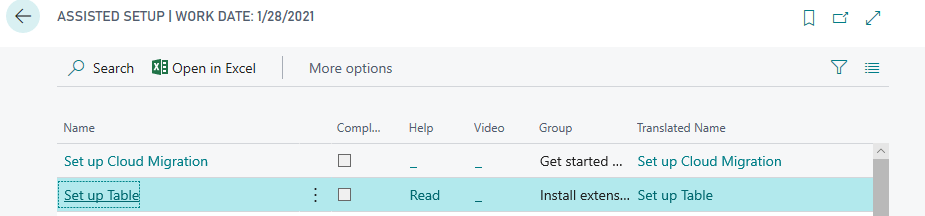
Publish the extension and you will see following result.
For my previous contribution on business central please visit this link
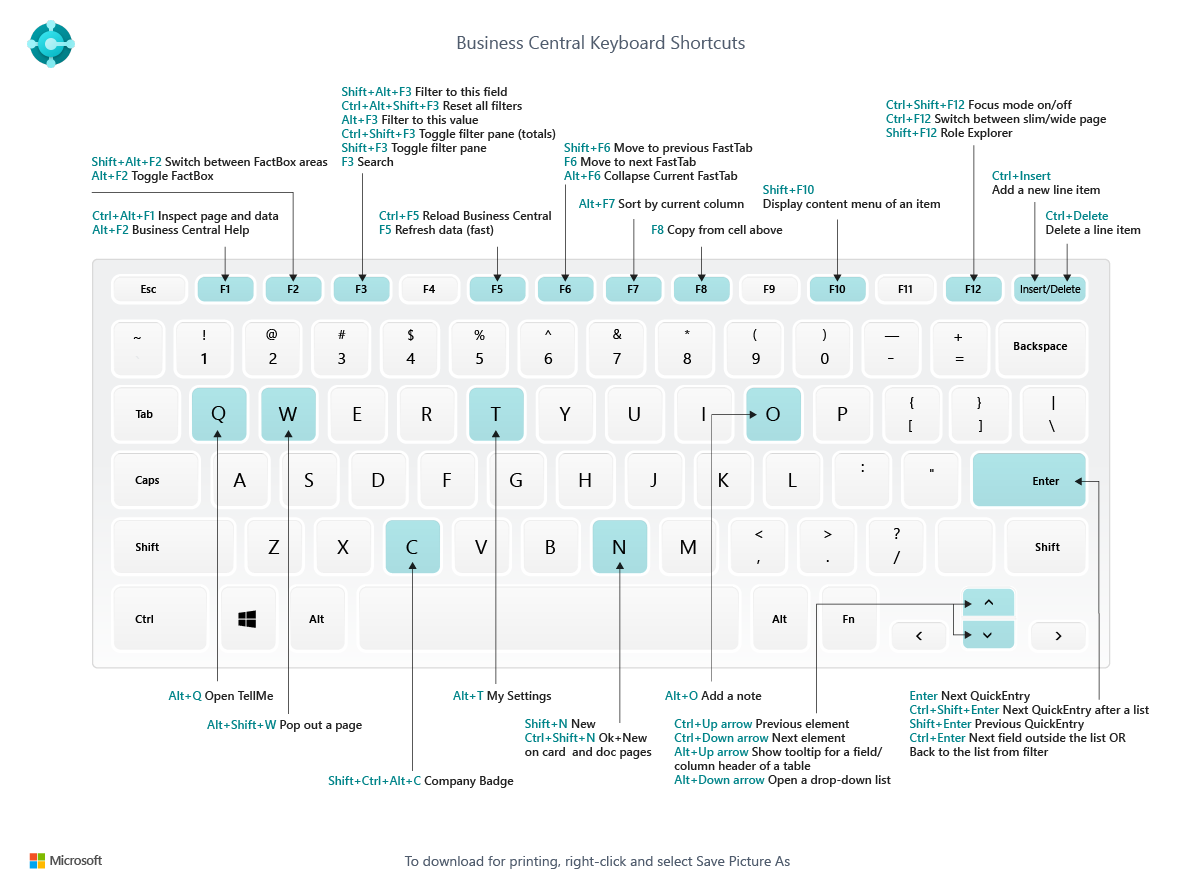
This blog contains keyboard shortcut for business central and VS code while will make our life easier while navigating and developing business central extension aka app.
For earlier blog post on business central you can follow the Link
This blog post explains how to set company badge in business central wave 2 . With this new feature one can add a customized badge in the top right corner from which we can identified company name.
Only four characters are allowed for key in and display.
If a company badge is defined, then you cannot change the company name






 Ammolh Saallvi Blog