Setup Visual Studio Code for local NAV server Installation

In this section we will see how do we setup Visual studio code locally on NAV 2018 server.

Hereby I assume that NAV 2018 is already installed on local machine .

You can download Visual studio code from Visual Studio Code

After Installing NAV 2018 and Visual Studio Code follow following steps to enable Visual studio code for writing extension and AL code.

  1. Enable Developer Service endpoint from NAV server instance

Developer End Point

2) Setup Web Client Base URL

Mention the web client url address .for example :- http://localhost:8080/dynamicsnav110/

WebClientURL

Once all changes done in service then restart the service.

3) Open Visual studio code and Install VSIX file from media 

InstallVSIX

You will find .vsix file in NAV 2018 Media file in folder ..\NAV.11.0.22292.W1.DVD\ModernDev\program files\Microsoft Dynamics NAV\110\Modern Development Environment\ALLanguage.Vsix

This will install AL language in visual studio code

4) Press CTRL+SHIFT+P and select command AL:GO in order to select a location and create a folder with default file of an extension

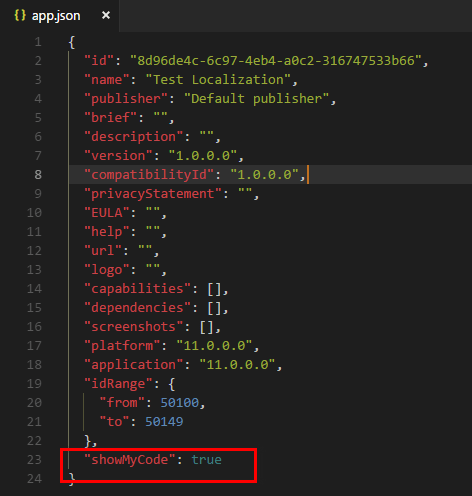
5) Setup Launch .JSON file

JSOn

Change server instance to DynamicsNAV110 and authentication to Windows

6) Press CTRL+SHIFT+P  and use command to download symbols AL:Download Symbols

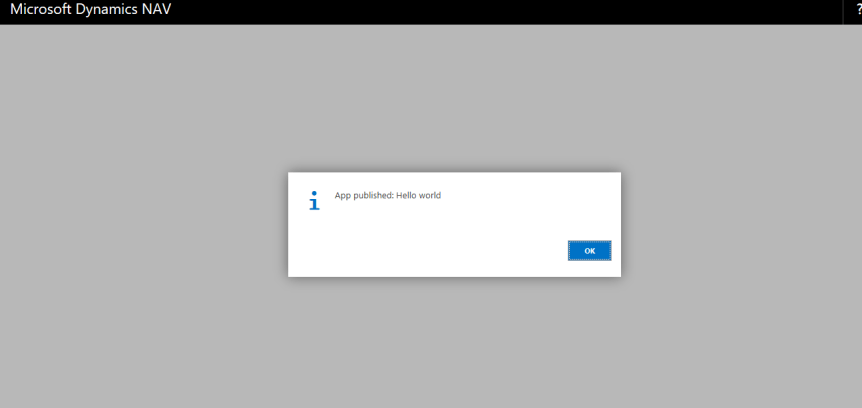
7) Pres CTRL+F5 to publish the Helloworld.AL extension which extends customer list page and same id is mention in startupobjectid parameters of launch .json file

AL1

Once publish you will get following in web client

2

Get ready for extension development with this….

Cheers…


Designer Feature in NAV 2018 CU3

Today I was exploring NAV 2018 CU3 web client and found that designer feature already available just like in Dynamics 365 Business central.

This also  create extension once design is complete …  Tooo Cool

That’s Nice.


Dynamics 365 Business Central : How to Search for Pages/report

How to enable the navigational  support for the page or report from search option on Business central

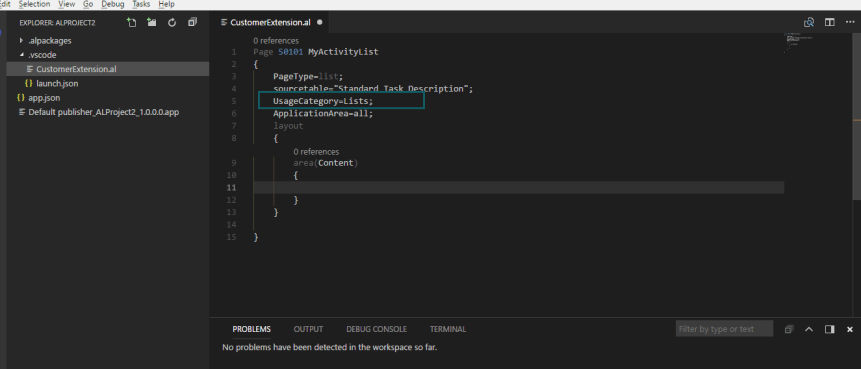
AL provides property called as UsageCategory which can be used to enable the search for page or report through search in Business central. If the UsageCategory property not defined then it will not available in search

Following are the property values which one can define in AL

  • None
  • Lists
  • Tasks
  • ReportsAndAnalysis
  • Documents
  • History
  • Administration

usage


MS Dynamics 365 Business Central Trial

Try Business central over here

https://trials.dynamics.com/

trial

What’s New -MS Dynamics 365 Business central

As you all aware that Microsoft announced Microsoft Dynamics 365 Business central at Directions Asia.

Lets see what’s new in newly announced product…

First of all it looks great when you open and nicely arranged information on role center.

untitled

Headlines 

  • This feature added to top of role center
  • Great for describing trends, greetings..
  • Maximum 75 characters.
  • For developer new page type property =HeadlinePart 

Creating Extension with InApp designer

This is one of cool feature provided by Dynamics 365 Business Central where in you can design the pages and based on that extension will get created.

In this mode one can select to see preview on different client like desktop,tablet and mobile.

Personalization

Do personalization as you like . Drag and drop . Hide and move parts ,columns, fields,cues.

Person1

Report Viewer 

Now we can view the report within the web client

report1

Key Board Experience

Do selection of record using Ctrl +A. Use Up ,Down arrow keys for navigation and many more.

Even though one can select alternate record by pressing CTRL key.

select1

No need to restart web client after changing role center.

Big list of Notifications

notification1Stay tuned for many more features….

Cheers…..


Directions Asia- Dynamics 365 Business Central

Direction Asia 

At Directions Asia 2018 Bangkok Microsoft revealed new name for product as                       ‘Microsoft Dynamics 365 Business Central’

untitled

Capabilities-Automate_630x4721

This release of Microsoft dynamics NAV consist of full capabilities of NAV and modules are divided in following two pricing points

  1. Essential
    • Financial Management
    • Supply chain Management
    • Basic Human Resources
    • Customer Relation Management
    • Project Management
  2. Premium
    • Service Order Management
    • Manufacturing Management

Release Date

Following countries will get Business Central on specified date

2nd April 2018 1st July 2018
  • United States
  • Canada
  • United Kingdom
  • Denmark
  • Netherlands
  • Germany
  • Spain
  • Italy
  • France
  • Austria
  • Switzerland
  • Belgium
  • Sweden
  • Finland
  • W1
  • Australia
  • New Zealand


RoadMap

 Rodmap


For More on Roadmap we can find more details here https://roadmap.dynamics.com/#edition=1

For Demo Version we can visit here https://dynamics.microsoft.com/en-us/business-central/overview/

Key Features

  1. This app will be available on all devices like phone, tablet, laptop, and desktop with all rich functionality and not only on windows but on Android and IOS.
  2. It is currently only a cloud based solution. Dynamics NAV 2018 continues to be available as is for on premises solutions, and being updated by means of cumulative updates
  3. Extended Outlook functionality you can create quotes, based on the content of a mail. and you can even submit invoices, all from Outlook!
  4. In-Client visual designer.

Pricing

image0131

 Ready to Go Program for Partners

https://docs.microsoft.com/en-us/dynamics-nav/developer/readiness/readiness-ready-to-go


Get ready for Business central……


Directions Asia 2018

Direction Asia

Directions Asia 2018 happening this time in Bangkok Thailand on 15th to 16th March 2018

Directions ASIA is a must-attend conference for Microsoft Dynamics Partners from Asia, Australia and New Zealand, as well as Partners from other regions operating on the Asia Pacific SMB market.

Directions ASIA is also a part of the global Directions Partner conferences, including North America and EMEA events. The conferences are organized by partners for partners and they gather the biggest, independent Dynamics SMB Focused Partner Community.

Directions ASIA is where partners can get a deep dive into the latest Dynamics product developments and enhance their relationship with other partners, ISVs and the Microsoft team.

There are lot of good sessions and workshops by MVP’s and Microsoft team.

For more details on schedule check on this Directions Schedule

See you around at Directions . Let meet for coffee.

Cheers…


MS NAV 2018 to be release…..

After having lot of confusion about release of NAV 2018 here come out some news.

Just have a look at following blog

https://community.dynamics.com/b/msftdynamicsblog/archive/2017/09/22/simplifying-dynamics-365-offerings

Lets see what will be in store in upcoming months…


Dynamics 365 Tenerife

At directions NA MS revealed the new NAV called Dynamics 365 Tenerife. Though I am not at event but got first look from community friends.

Announcement from MS

DKA7NzAU8AExUEQ

Preview of Dynamics 365 Tenerife

DKAtDilWAAAAW0a

DKAtGm2X0AAS9QvDKAtJIKW0AEMajADKAtWxsXcAAU55S

Stay Tuned ….


MS NAV Updates for September-2017

th

Following are updates for MS NAV for month of September

Update for Development Preview

https://blogs.msdn.microsoft.com/nav/2017/09/07/nav-development-preview-september-update/

Lot of issues pointed out on GitHub is fixed in this development preview update. You can visit GitHub for more info :-https://github.com/Microsoft/AL/issues


Released Cumulative Updates

NAV 2017 CU 10 :- https://www.microsoft.com/en-us/download/details.aspx?id=55797

NAV 2016 CU 23 :- https://www.microsoft.com/en-us/download/details.aspx?id=55798

NAV 2015 CU 35 :- https://www.microsoft.com/en-us/download/details.aspx?id=55796


Cheers!!!!