The preview of Business Central 2021 Wave 2 (release 19) was released
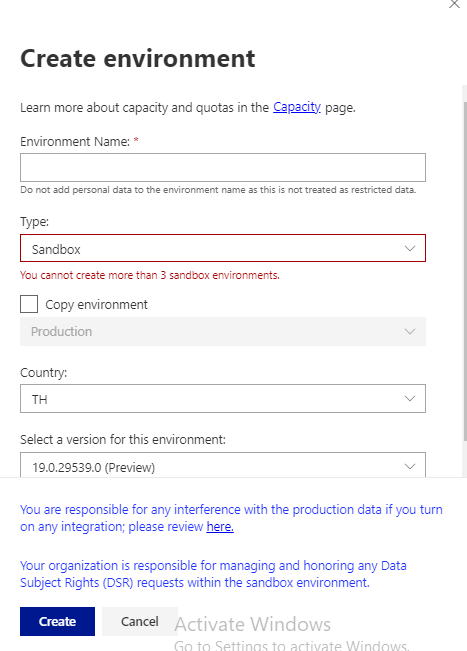
It is only possible to create Sandbox preview and non-production environments; the preview environments are for demonstration purposes only and to have their functionality tested, they are removed at most thirty days after the official release of the product.
Now lets get ready to explore new features with Wave 2 2021
As we are gearing up for new release of business central and already the buzz is started for new version . Here I will list few upcoming features which I am looking forward in new version.
With the release of Wave 1 2021 lot of new feature introduced . One of the new feature is that partners now can add keys in base table with customized field which was not possible earlier
Today we will see how we can do that
First Lets see what is happening is earlier version of business central. In earlier version we can only add the keys with the field added on table extension and we are not able to see the field available in base table for adding in keys
Look at the following example as I created one simple extension in V17 and trying to add key
Now when I try to add the keys in this table extension it will populate only those fields which are added in table extension
In New version of Business central i.e. Wave 1 2021 we can Add more keys with base table fields and use to improve the performance while retrieving or updating records
Now look at the following example for new version .Just created a simple table extension
Now when I try to add the keys in this table extension it will populate all the fields available in base table as below
So that means we can create keys with
Fields from base table
Fields from table extension
Can I create combination of fields from base table and fields from table extension ?
And the obvious answer is no and reasons are simple that both base table and table extension are two different tables in Sql server.
Have you guys remember my tweet regarding the restoration of environment .Following is the tweet
If you still not follow me on then please follow me on twitter for more updates
So in month of November 2020 I faced this problem as due to some issue production environment got hanged and user abruptly close the session .Post that data in some tables got messy and couldn’t recover in time and then I need to contact MS guys to restore environment which took almost a week and till that time customer transaction got halted. That time question came to my mind how customer will handle all these things by going forward and MS guy responded me that time that this feature is going to added in Admin center in upcoming release.
Now with released of Business central 17.3 this feature become reality .It is still in preview mode.
Lets look at how to restore the environment
To restore environment you need to have access to admin center.
Go to Admin center.
Select Environment
3. Click on Restore
4. In the restore environment window select date and time to which you want to restore the environment.
5. Select the type of environment such as sandbox or production.
6. Finally Name for restored environment.
7. Hit the restore
Important points
Backups are available for past 30 days
The number of restore attempts will be limited to 10 attempts per environment/per month.
The recovery is allowed within a maximum of three immediately preceding versions of Business Central (including minor and major updates), but still within a maximum of 30 days (from the point of the environment creation)
Recently Microsoft releases plan for major version of Microsoft Dynamics 365. This blog post actually focused on those features which I am looking forward to and may be every one in community.
Lets Start
Partners can add keys to base tables and table extension
Does anybody remembered this points which I raised in year 2017 on GitHub and finally this is going to add in April 2021 and I am looking forward to it as it is not supported and I have restructure the app.
Report Extensibility
This feature is everybody awaiting because if we need to change in any base app report then we need to copy that report ,make changes and use report substitution to display the customize report. Looking forward for new report extension object where in one can change layout and dataset.
Dimension Correction
In Year 2016 I wrote this blog post for updating the dimension and not it is going to be add as feature in Business central. This will help end users for updating the incorrect dimensions.
Above all it from April 2021 onwards Business Central will be available in India
Apart from above lot of new features are added in upcoming version of business central
Recently faced a problem of table locking which goes in not responding stage and finally user close the tab ,but when user opens the session again it actually messed up the critical data (It seems unimaginable force was roaming that time when this happens). Eventually after trying couple of days for data correction I need to contact Microsoft to restore the database.
When this happening my customer asked me if something like this happen then can we kill or cancel the session of user and then I came across this feature of Business Central admin center.
How to access admin center
This can be by adding tenant id with your business central URL as below
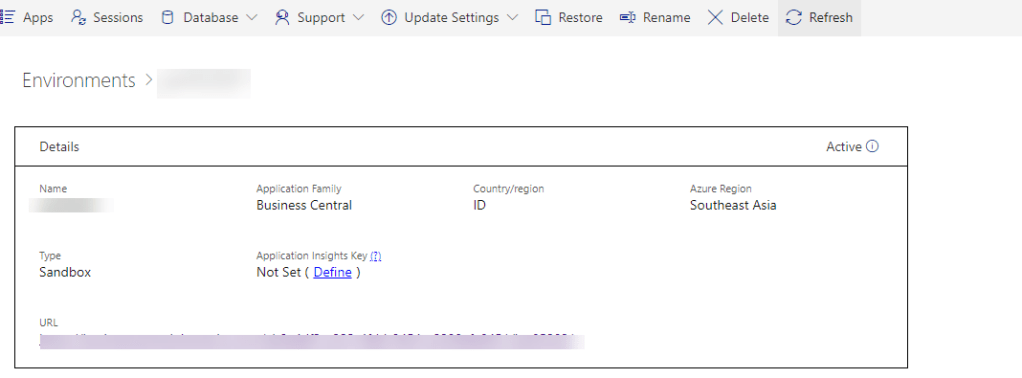
In this portal you can see all the environment including sandbox.I can see this is your control center for managing business central on cloud.
Now next step is click on required environment which will navigate to other screen.
To see all the session click on session
This will show you call the required session for the selected environment.
Now to cancel the session select the required session and click on Cancel session .This will kill the required session.
Another advantage of this screen is that it show other information like which operation is going on ,which object is involved in current operation and duration of current operation.
Hope this will help you to cancel the unwanted session
With the release of Business Central Wave 1 2020 new feature added to check validation in background for financial journals
As of now this feature is need to enabled from Feature management
This features will helpful to financial users to check the issue before posting. Before this feature we have Test Report and Preview Posting to check the issues before posting. Advantage of this feature is that this feature is can be enabled for specific batch .
To enable this feature on batch go to General Journal batch and enabled this feature for required batch.
Once this will enabled on batch this will show journal check on journal screen as follows
Enter the transaction in journal and if entry is erroneous then it will show the error as below
For more details of the error you can click Issues total to see the details of issues
Even this factbox shows the the lines which shows which lines are correct and incorrect.
Hoe this will help you to deal with financial journals validation.
If you would like to add documentation to your code then you can use XML documentation .The documentation comment must immediately before the object such as codeunit,table,functions etc.
The syntax for adding XML comments in your code is triple slashes /// followed by one of the supported XML tags. There is IntelliSense support for writing documentation comments. Most importantly providing a template documentation comment when writing the third slash in the triple slash.
These documentation comments are visible when hovering over source symbols.
Advantage :
XML document comment will improve readability ,add useful information about the code implementation and help others take over your code .
With XML comments it also enable intellisense in AL objects that you add in your code as a help to other developers who is going extend your code.
Let sees an example how we can add the xml comments.
Created one simple code unit where we can add documentation comments.
Please note that If you have the showMyCode setting in the app.json file set to false and download an app package; the app package will not contain any XML comments.